Hardware cold wallet guide

Find the right
digital asset cold wallet for you.

Compare popular hardware wallets and offline signing devices from Ledger, Trezor, OneKey, SafePal, and BitBox. Review BTC, ETH, USDT network compatibility, hardware specs, and reference prices before deciding.

Browse cold wallets How to choose a cold wallet
Product information only. Purchases are made on each brand’s official store.
OFFLINE
KEYS
Your keys. Your control.Hardware wallet illustration
5 major brands Official product models
9 hardware wallets Compare key specifications
No checkout on this site Visit brand websites
Cold wallet catalogue / 01

Popular hardware cold wallets

Filter by brand to compare models, reference prices, connectivity, and key features.

Showing 9 products
USB-C · Entry modelLedger Nano S Plus 硬件钱包
LedgerAbout $59

Ledger Nano S Plus

Classic USB-C hardware wallet ideal for desktop or Android management. Equipped with a 1.1-inch monochrome OLED display and EAL6+ secure element. Transactions are verified directly on the device screen via Ledger Live. Officially supports Bitcoin, Ethereum, USDT, Solana, and thousands of coins/tokens across major blockchains. Incompatible with iOS.

USB-C1.1-inch OLEDEAL6+ Secure ElementNot compatible with iOS
BTC / ETH / USDT Asset Support Mainstream assets like BTC, ETH, and USDT can be managed securely via Ledger Live and compatible apps. Ensure correct blockchain network matching before transfers.
Official reference price approx. $59; subject to official store prices and local taxes.
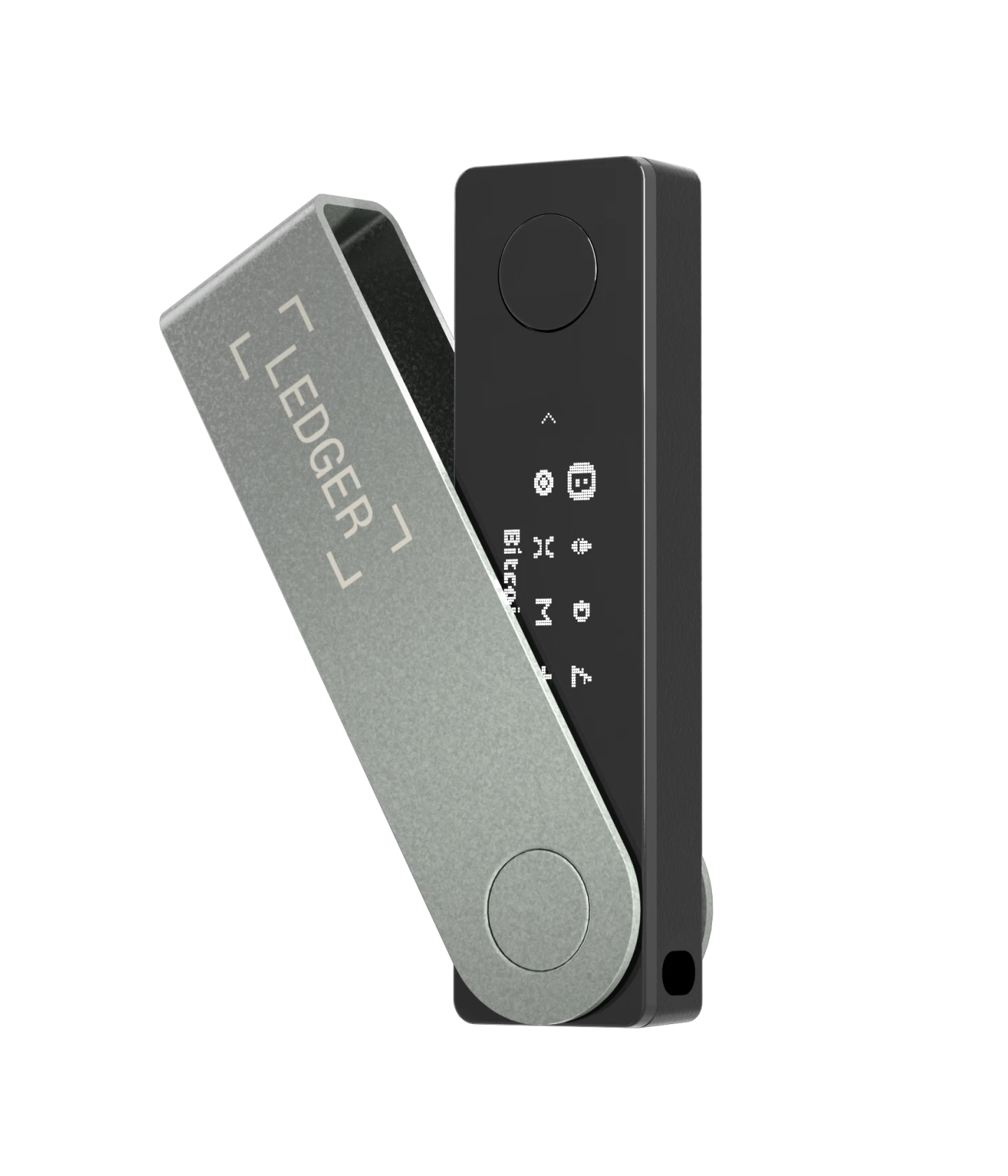
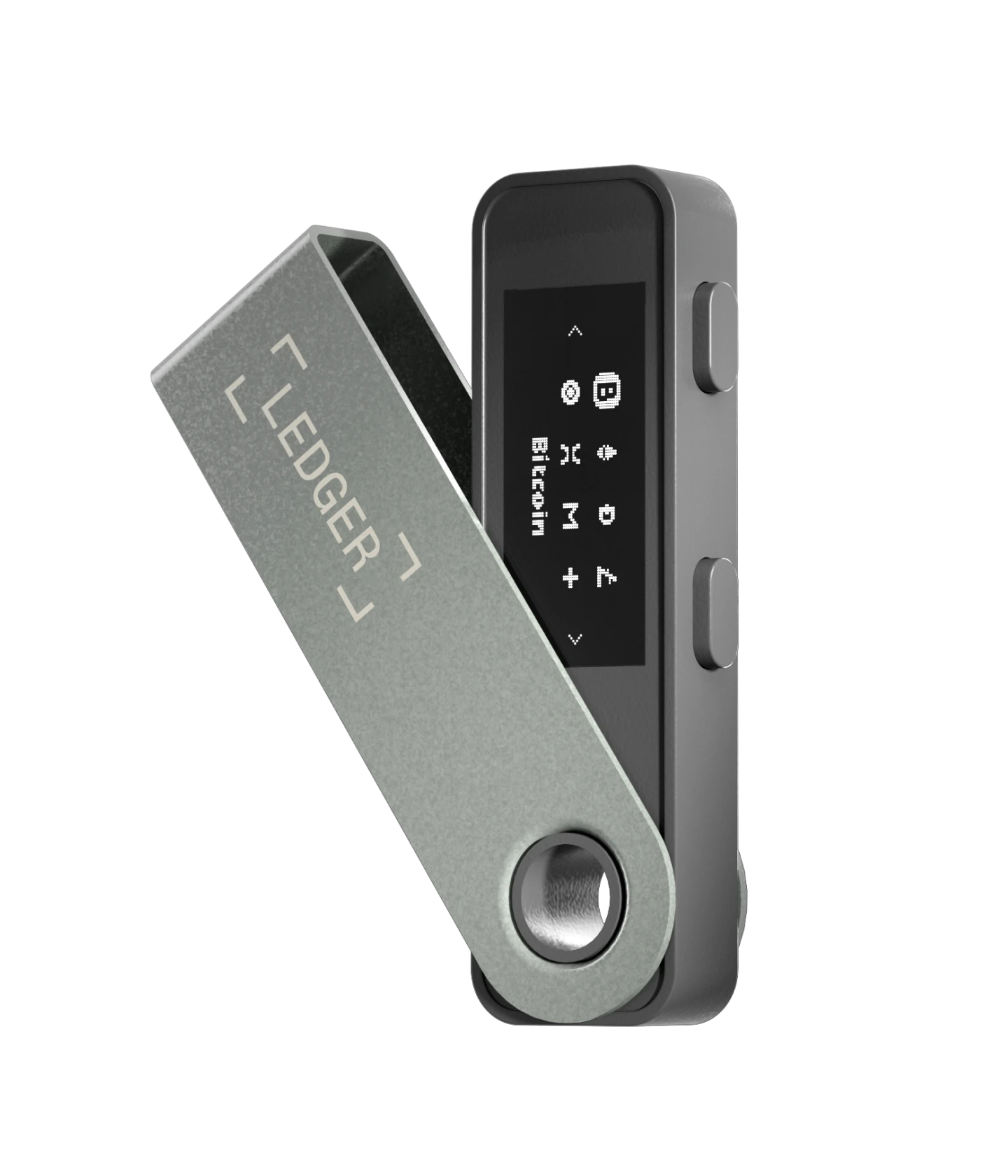
Bluetooth · Mobile useLedger Nano X 蓝牙硬件钱包
LedgerAbout $99

Ledger Nano X

Engineered for mobile asset management with built-in battery and Bluetooth® for iOS and Android, plus USB-C desktop support. Includes monochrome OLED and EAL5+ secure chip for independent on-device verification. Supports thousands of tokens including BTC, ETH, USDT, and Solana via Ledger Live.

Bluetooth / USB-C1.1-inch OLEDBuilt-in batteryCompatible with iOS / Android
Mobile Stablecoin Management Great for mobile management. Always verify the correct blockchain network before receiving USDT or other tokens.
Official reference price approx. $99; local pricing and promotions may vary.
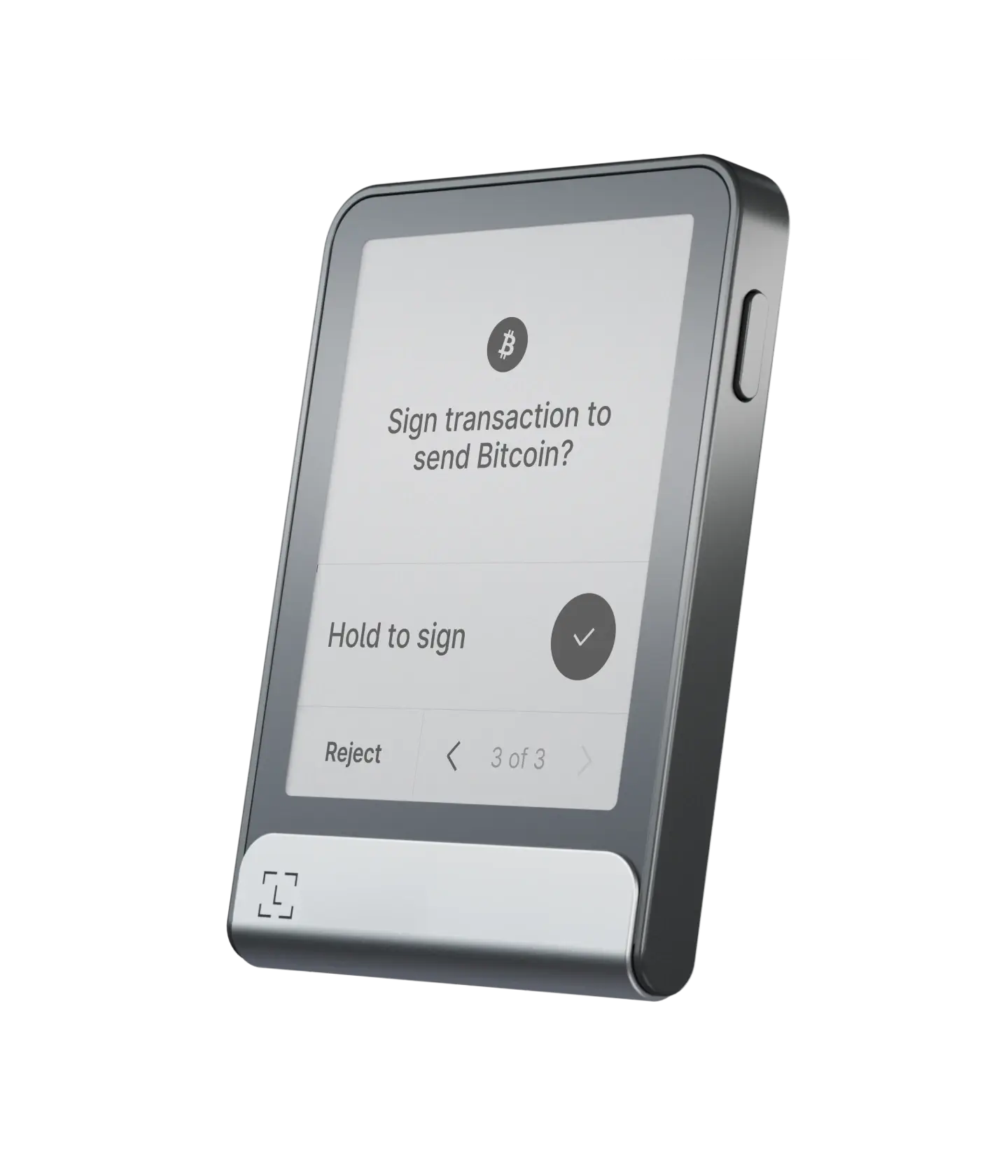
Touchscreen · E Ink®Ledger Flex 触摸屏硬件钱包
LedgerAbout $229

Ledger Flex

Featuring a 2.8-inch E Ink® touchscreen to clearly inspect addresses and verify transaction details before signing. Equipped with an EAL6+ secure element, USB-C, Bluetooth®, and NFC with cross-platform support for iOS, Android, and desktop. Perfect for frequent multi-chain verification and touch operation.

2.8-inch E Ink® touchscreenBluetooth / NFC / USB-CEAL6+ Secure Element
Mainstream Assets & Stablecoin Management Officially supports BTC, ETH, and major stablecoins across TRC20 and ERC20. Verify specific networks and tokens on Ledger’s supported crypto portal.
Official reference price approx. $229; final price and accessories subject to official store.
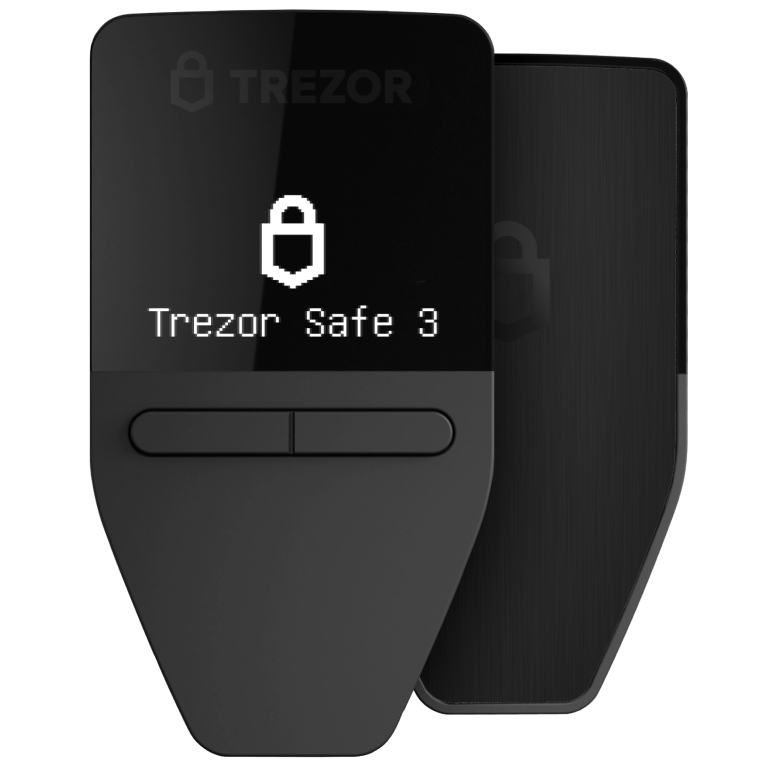
Secure Element · Open sourceTrezor Safe 3 硬件钱包
TrezorAbout $59

Trezor Safe 3

Trezor’s entry-level hardware wallet has an EAL6+ Secure Element, a 0.96-inch monochrome OLED, two-button controls, and USB-C. PIN and passphrase protection are supported. Manage assets in Trezor Suite and verify transactions on the device. Its design and firmware are open source. A straightforward choice for users who value transparent software and basic offline key management. Mobile features vary; full sending, swapping, and device management are not available on iOS.

0.96-inch OLEDTwo-button controlsEAL6+ Secure ElementUSB-C
Multi-Currency & Network Verification Trezor supports thousands of coins and tokens; verify compatibility across specific coins, blockchain networks, and companion software.
Official reference price approx. $59; adjusted for region and promotions.
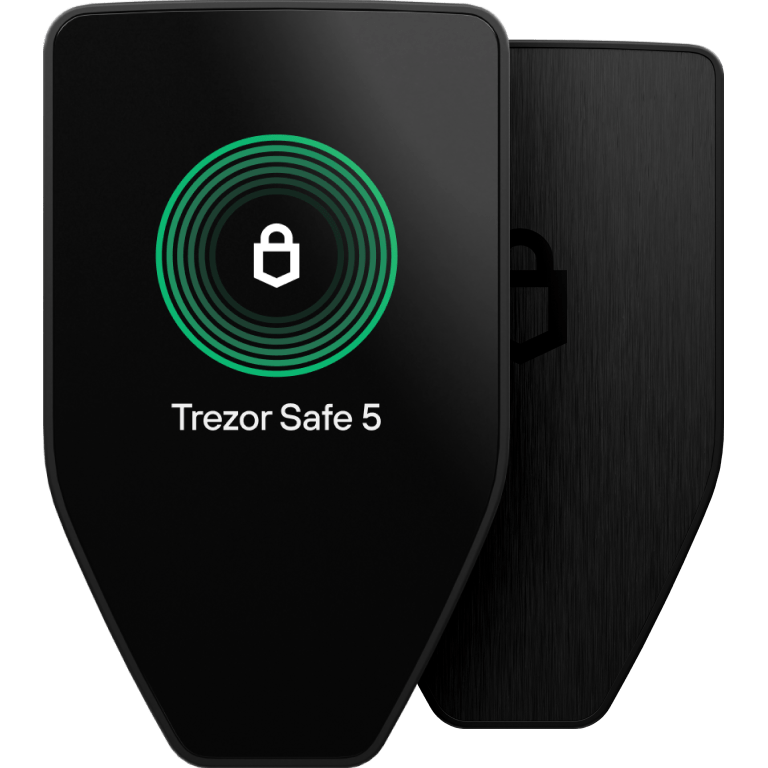
Color touchscreen · Haptic feedbackTrezor Safe 5 彩色触屏硬件钱包
TrezorAbout $129

Trezor Safe 5

Designed for an intuitive experience with a 1.54-inch color touchscreen, haptic feedback, Gorilla Glass 3, and an EAL6+ Secure Element. Supports PIN, passphrase, and advanced multi-share backups. Connects via USB-C to Trezor Suite. Ideal for users frequently verifying on-chain addresses and transaction details.

1.54-inch color touchscreenHaptic feedbackEAL6+ Secure ElementUSB-C
supported assets cold storage Native support for BTC, ETH, and ERC-20 tokens. Check Trezor’s official list for specific USDT/USDC network compatibility.
Official reference price approx. $129; taxes and promotions may vary by region.
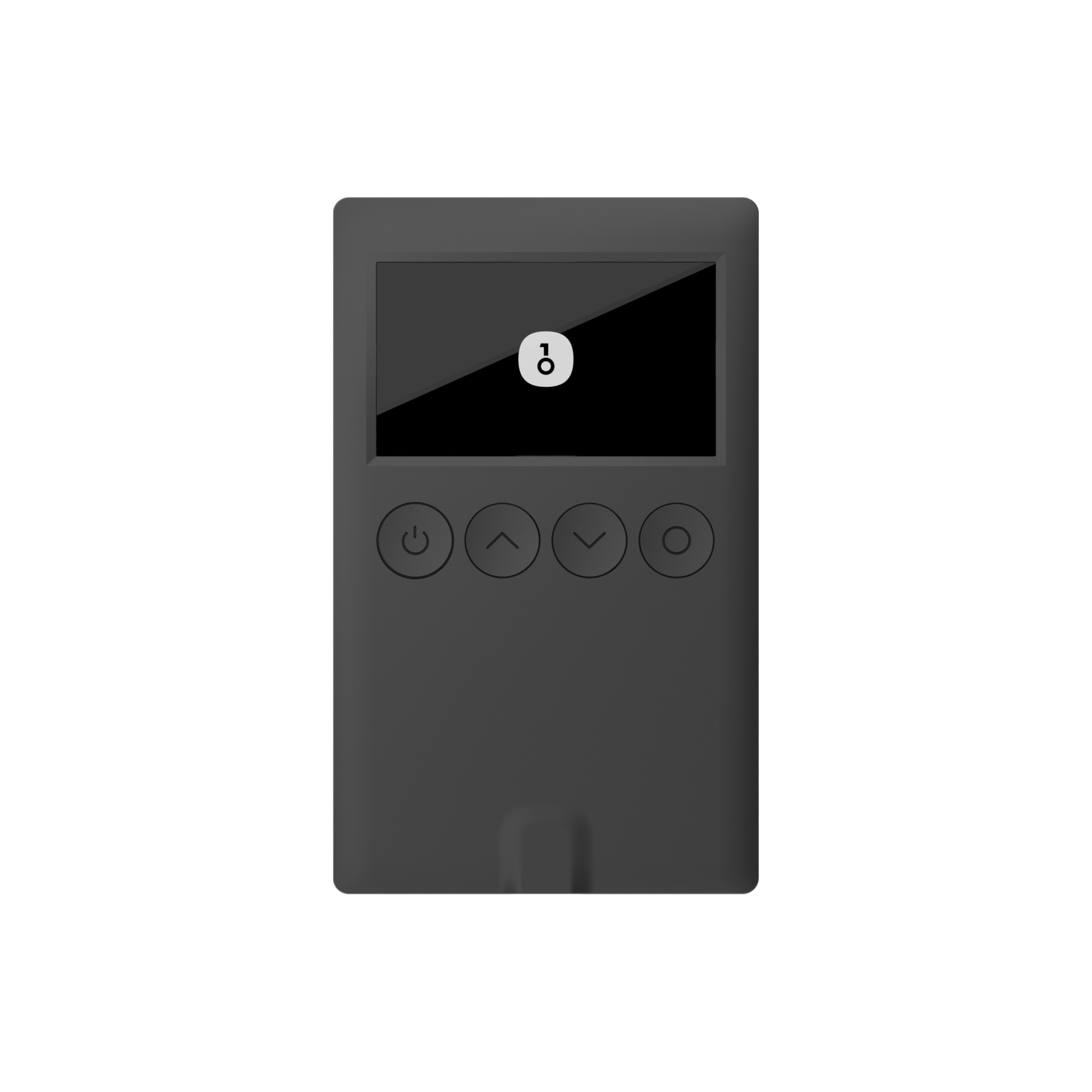
Slim design · Button controlsOneKey Classic 1S 硬件钱包
OneKeyAbout $89

OneKey Classic 1S

Slim multi-chain hardware cold wallet with a 1.54-inch OLED display, tactile buttons, USB-C, and Bluetooth connectivity. Powered by an EAL6+ secure element with on-screen transaction verification. Officially supports BTC, ETH, USDT, Solana, and over 100 blockchains via OneKey App.

1.54-inch monochrome OLEDEAL6+ Secure ElementUSB-C / BluetoothPhysical buttons
Multi-chain Mainstream Asset Support Fully supports BTC, ETH, Solana, and USDT on TRC20/ERC20. Confirm your destination network on OneKey’s supported asset directory before transferring.
Official reference price approx. $89; subject to model and regional store pricing.
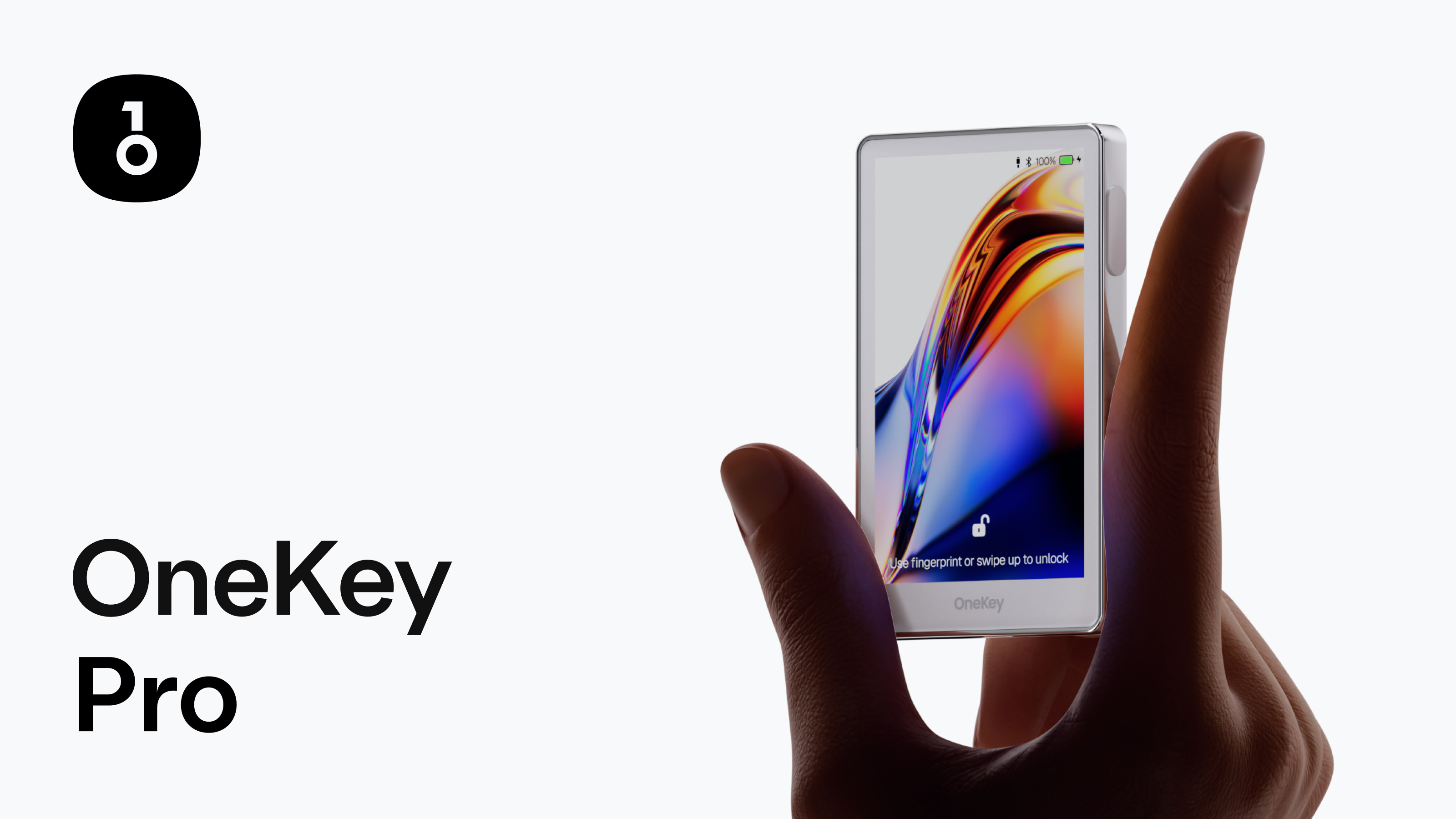
Air-gapped QR signing · FingerprintOneKey Pro BTC / ETH / USDT 多链硬件冷钱包
OneKeyAbout $258

OneKey Pro

Flagship multi-chain hardware cold wallet featuring a 3.5-inch color touchscreen, fingerprint scanner, 4× EAL6+ secure chips, and camera QR air-gapped signing. Supports USB-C, Bluetooth, and wireless charging. Manage 100+ blockchains and thousands of tokens seamlessly via OneKey App.

QR air-gapped signing3.5-inch touchscreenFingerprint recognition4 × EAL6+ Secure Elements
Comprehensive BTC / ETH / USDT Multi-Chain Support Native support for mainstream cryptocurrencies and digital tokens. Always verify smart contract addresses and network protocols in OneKey App.
Official reference price approx. $258; final price subject to manufacturer store.
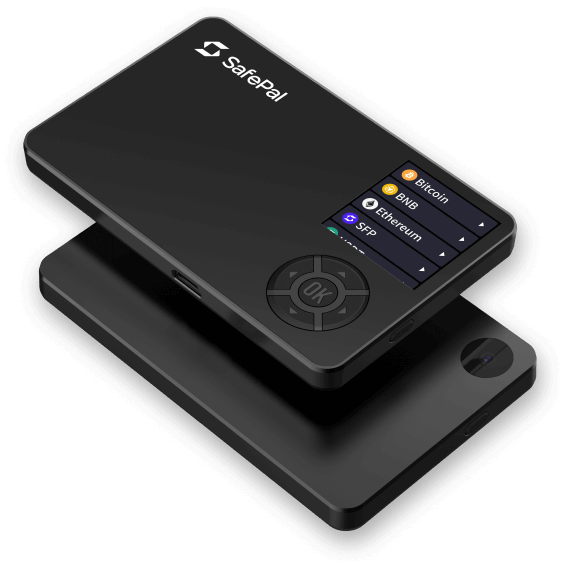
Air-gapped · QR signingSafePal S1 QR 隔空签名硬件钱包
SafePalAbout $45

SafePal S1

100% air-gapped offline signing using camera and QR codes with zero NFC, Wi-Fi, Bluetooth, or USB data cables. Equipped with a color screen and EAL6+ secure element. Manages 200+ blockchains and tens of thousands of tokens via SafePal App.

QR air-gapped signingEAL6+ Secure ElementNo Bluetooth / Wi-Fi200+ networks
Comprehensive Stablecoin Coverage SafePal covers major blockchains and popular tokens. Search and verify USDT/USDC across specific chains on SafePal’s official asset list.
Official reference price approx. $45; promotions and shipping may vary.
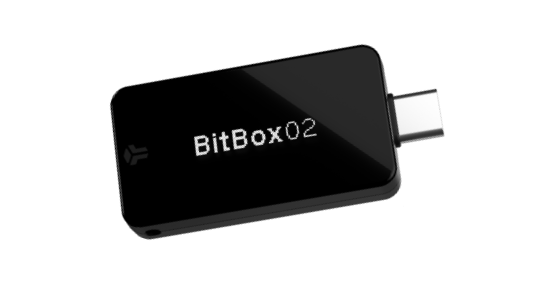
Swiss-made · microSD backupBitBox02 Multi Edition 硬件钱包
BitBoxAbout $139

BitBox02 Multi Edition

Swiss-engineered USB-C hardware wallet with an OLED display and invisible touch sensors. Includes microSD card for instant instant backup and restore alongside standard BIP-39 seed phrases. Multi Edition supports Bitcoin, Ethereum with ERC-20 tokens, Cardano, and open-source firmware. Note: Incompatible with iOS.

OLED / touch slidersmicroSD backupOpen-source firmwareNot compatible with iOS
Mainstream Tokens & ERC-20 Assets Multi Edition natively supports Bitcoin and Ethereum ERC-20 networks. Confirm other networks and tokens in the official catalog.
Official store reference price approx. $139; taxes and shipping fees may differ.

Hardware cold wallet comparison

Compare reference prices, connections, and key features. Verify specifications, system compatibility, and current prices on each brand’s product page.

ModelReference PriceMain connectivityDevice controls / backupConsider if you
Ledger Nano S PlusAbout $59USB-CMonochrome OLED; recovery cardsPrimarily desktop / Android; no iOS support
Ledger Nano XAbout $99Bluetooth, USB-CMonochrome OLED; built-in batteryNeed phone connectivity, including iOS
Ledger FlexAbout $229Bluetooth, NFC, USB-C2.8-inch E Ink® touchscreen; recovery sheet and Recovery KeyPrefer a large touchscreen and multiple connections
Trezor Safe 3About $59USB-CMonochrome OLED; two buttons; PIN / passphrasePrefer open-source design and button controls
Trezor Safe 5About $129USB-CColor touchscreen, haptic feedback; PIN / passphrasePrefer a larger touchscreen interface
OneKey Classic 1SAbout $89Bluetooth, USB-CMonochrome OLED; physical buttonsMulti-chain management across mobile & desktop
OneKey ProAbout $258QR, Bluetooth, USB-C, wireless chargingColor touchscreen, fingerprint; air-gapped QR signingPrefer a large screen, multiple connections, and QR signing
SafePal S1About $45QR scanningManufacturer-listed 100% air-gapped signingPrefer QR-based signing
BitBox02 MultiAbout $139USB-COLED, touch sliders, microSD backupDesktop / Android; Multi Edition supports BTC/ETH/ERC20, no iOS support

Reference USD list prices checked on 2026-10-08. Taxes, shipping, and promotions may vary. This is not a security ranking.

Find a wallet by use case

Narrow your options by how you use a wallet

These are feature-based suggestions, not investment advice or claims that a model is absolutely safer.

Primarily use a computer

Compare Ledger Nano S Plus, Trezor Safe 3, and BitBox02 Multi. First verify your computer OS and target network are supported.

See desktop models ↗

Need Bluetooth for mobile

Ledger Nano X, Ledger Flex, and OneKey Classic 1S offer Bluetooth. Check phone OS, companion app, and feature limitations.

See mobile models ↗

Prefer air-gapped QR signing

Compare QR transaction signing on SafePal S1 and OneKey Pro. Verify the companion app, scanning steps, and intended network.

See QR-signing models ↗

Prefer a larger touchscreen

Ledger Flex, Trezor Safe 5, and OneKey Pro have touchscreen controls, with different display technologies, sizes, and connections.

See touchscreen models ↗
supported assets network reminder / 02

Even with the same USDT, choosing the wrong blockchain network results in permanent loss.

Hardware wallets safeguard your private keys; your digital assets live on the blockchain network. Sender and recipient must use the exact same blockchain before transferring.

01 / Confirm the network

TRC20, ERC20, Solana, Arbitrum networks cannot be interchanged

Stablecoins like USDT and USDC are deployed across multiple distinct blockchains. Always check token name, mainnet protocol, and address format.

02 / Check the model

Token support does not mean every network is supported

Check the manufacturer’s asset list and required companion software. Some networks may require a third-party wallet app.

03 / Protect your recovery phrase

Keep your recovery phrase offline and private

Never photograph it, upload it, send it to anyone, or enter it on an unfamiliar website. Legitimate manufacturers will not ask for it.

Mainstream Digital Asset Network Compatibility Matrix

Check each asset, network, model, and app

A claim of token support does not mean every network is supported. The table only summarizes what could be verified from product information. “Check each network” does not mean unsupported; verify the current asset list and app before transferring.

Brand / model rangeTRC20 (TRON)ERC20 (Ethereum ETH)Solana / Other ChainsOfficial Verification
Ledger Nano series / FlexLedger Live natively supports TRC20 account managementNative support for Ethereum and all ERC20 tokensSupports Solana, BSC, Polygon, Arbitrum, etc.Ledger supported assets ↗
Trezor Safe 3 / Safe 5Requires compatible third-party app (e.g., MetaMask/TronLink)Trezor Suite natively supports ERC20 tokensSafe 3 / Safe 5 natively support Solana and multi-chainTrezor coin list ↗
OneKey Classic 1S / ProOneKey App natively supports TRC20 send/receiveOneKey App natively supports ERC20 send/receiveFull support for 100+ chains (Solana, Base, BSC, etc.)OneKey supported assets ↗
SafePal S1SafePal App natively supports TRC20 (QR air-gapped)SafePal App natively supports ERC20 (QR air-gapped)Supports Solana, BSC, and 200+ blockchainsSafePal asset list ↗
BitBox02 Multi EditionMulti Edition does not support TRC20 networkBitBoxApp natively supports Ethereum & ERC20 tokensSupports BTC/ETH/Cardano, see official listBitBox supported assets ↗

Do not infer compatibility from similar-looking addresses. Before transferring, match the exchange withdrawal network, wallet receiving network, token contract, and companion app. Consider a small test transfer first. This table is not a guarantee of support for every network.

Cold wallet basics / 03

Understand cold wallets before storing assets

“Cold storage” generally refers to keeping private keys away from internet-connected devices. A hardware wallet is not a storage drive for coins, but a dedicated security tool to sign blockchain transactions offline.

01 / Where assets are

Digital Assets Live on the Blockchain

Hardware devices do not physically store your BTC or USDT; assets reside permanently on the blockchain. The hardware isolates the private keys controlling your blockchain address.

02 / Cold vs. hot wallets

The difference is how keys interact with connected devices

Hot wallets usually run on connected phones or computers for convenience. Hardware wallets keep keys on a dedicated device and require on-device transaction approval. Cold storage reduces some online exposure, but cannot prevent phishing, mistaken transfers, or user error.

03 / What is air-gapped signing?

QR workflows do not mean every device is offline

Some wallets transfer unsigned transaction data by QR between a connected phone and a signing device; the offline device signs it and returns a QR code. Other hardware wallets connect by USB or Bluetooth. Check how the specific model works.

04 / Networks and tokens

The same token name can refer to different networks

Stablecoins such as USDT and USDC exist on multiple independent blockchains. Address protocols and transfer paths on TRC20, ERC20, and Solana are entirely separate.

05 / What is a recovery phrase?

A recovery phrase grants full wallet access

A proper backup can restore access in a compatible wallet if the device is lost or damaged. Anyone with the phrase may import the wallet. Support staff, sellers, and this site should never ask for it.

06 / Limits of cold wallets

Device security does not guarantee asset safety

Counterfeit devices, fake recovery phrases, malicious contract approvals, address substitution, wrong networks, or lost backups can still cause losses. Verify the device screen, recipient address, network, and amount for every transfer.

Cold wallet buying guide / 04

Choose for your needs—not just the chip or token count

Before comparing hardware wallet prices and brands, list the assets and networks you need, the devices you use, and your backup and recovery preferences.

Clarify Assets & Blockchain Networks

List your core coins and target networks, such as USDT-TRC20 or USDT-ERC20. Look up “Asset + Mainnet + Compatible App” in the brand’s official directory.

Check computer and phone compatibility

Check operating system requirements, USB-C / Bluetooth / NFC / QR connectivity, and whether the mobile app supports the receiving, sending, and device-management features you need. Some models and systems have limitations.

Choose a control method that suits you

Physical buttons and small screens cover basic confirmation; touchscreens provide more room to review details; QR signing can reduce data connections between device and phone. Each has trade-offs—check official product information.

Review backup and recovery options

Check supported recovery phrase formats, backup copies, and options such as microSD or multi-share backup. Make sure you can store the backup securely and know how to restore it if the device fails.

Buy only from official or authorized sellers

Order from the brand’s website or a reseller explicitly listed as authorized. Verify the URL, seller, and tamper-evident packaging. Avoid used or pre-initialized devices and products supplied with a seller-created recovery phrase.

Compare total cost and upkeep

Consider shipping, taxes, backup materials, adapters, regional support, and software compatibility—not just the device price. Reference prices can change; verify the model, currency, and final total at checkout.

Buying tip:For stablecoin holders (USDT, USDC), verifying destination mainnet protocols and companion apps is far more critical than headline token counts.

Cold wallet purchase safety checklist

Where you buy and how you initialize the device matter. This checklist does not replace the manufacturer’s warranty or inspection guidance.

Verify the official domain and seller

Check the URL spelling, HTTPS domain, and redirects. If buying from a reseller, confirm its authorization on the brand website.

Inspect packaging and device status

Check tamper-evident seals and whether the device is already initialized. If it shows an existing wallet or asks for a seller-provided phrase, stop setup and contact official support.

Generate your own recovery phrase

Use only the phrase generated by your own device during setup. Avoid devices sold with a “ready-made” phrase, preloaded assets, or a wallet set up by the seller.

Never share your recovery phrase

Support teams, brands, sellers, and this site never need your recovery phrase, PIN, or private key. Requests for them are a serious warning sign.

Hardware wallet user guide / 05

Setup, receive, and send: verify every step on-device

These are general steps. Interfaces vary by brand; follow the official device and companion-app instructions.

1. Download the companion app from an official source

Check the brand’s domain yourself, then install the app from the store or download page linked by the official site. Be cautious of search ads, direct messages, and installers sent by strangers.

2. Initialize the device yourself

Follow the device prompts to create a new wallet and set a PIN. Make sure it is not preconfigured. If it shows a prewritten phrase, asks you to contact “support to activate,” or requests an existing phrase, stop and contact official support.

3. Record and verify your recovery phrase offline

Record the phrase only as shown on the device, on paper or a suitable offline backup medium, then verify its order as instructed. Do not screenshot, photograph, upload, email, or enter it on a website. Do not let anyone else record it for you.

4. Generate a receiving address and verify the network

Select the exact asset and network in a compatible wallet app to generate an address, then verify the full address on the hardware device. The exchange withdrawal network must match the receiving network. If unsure, test with a small amount first.

5. Review each detail before sending

Enter the recipient address, network, amount, and fee in the app. Verify the address and transaction details on the hardware wallet before approving. Do not rely solely on the computer or phone display; watch for clipboard substitution and fake contracts.

6. Recover if the device is lost or damaged

Follow the brand’s official guidance to obtain a replacement that supports the same recovery standard, then restore from your backup in a secure environment. If the phrase may be exposed, create a new wallet on a trusted device and move assets promptly. Never give the phrase to a “recovery agent.”

Important:No one should ask for your full recovery phrase, PIN, or private key. Never submit them in chat apps, support pages, or websites. This site provides information only and does not recover wallets or operate them for users.

Cold wallet FAQs

What is a digital asset cold wallet?

A hardware cold wallet is a dedicated physical device that generates and protects private keys within offline secure chips. Crypto assets live on the blockchain; safeguarding your recovery phrase is the ultimate foundation of asset security.

How to Choose a Cold Wallet for USDT & Mainstream Crypto?

First identify your target network, such as TRON (TRC20), Ethereum (ERC20), Solana, or Arbitrum, then confirm if the hardware model and companion app support that exact network. Never send tokens blindly without verifying mainnet alignment.

Can I receive funds as soon as I buy a hardware wallet?

First initialize the device using the manufacturer’s official instructions, set a PIN, and securely back up the recovery phrase. Then generate a receiving address for the correct asset and network in a compatible app. Verify the address on the device and consider a small test transfer. Never use a device with a phrase generated or supplied by someone else.

Cold wallet product information and official sources

Product features, supported coins, hardware specifications, and pricing update periodically. Below are links to each brand’s official asset directory for verification before transferring.